Export two views
In your software, position yourself at eye level. A starting view, a few steps forward, an ending view. A three-minute tutorial shows you the exact move.
Walkroom is a service that turns two views of a 3D render into a photorealistic walkthrough video, for architects and interior designers. You export two images of the same room from SketchUp, Revit, Archicad or any 3D software, and you get back a video ready to send to your client. Nothing to install, nothing to learn.
First scene free, no credit card required.
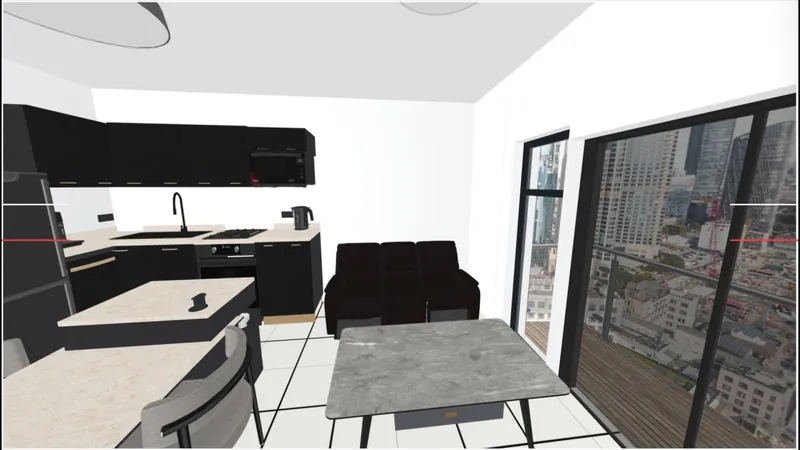
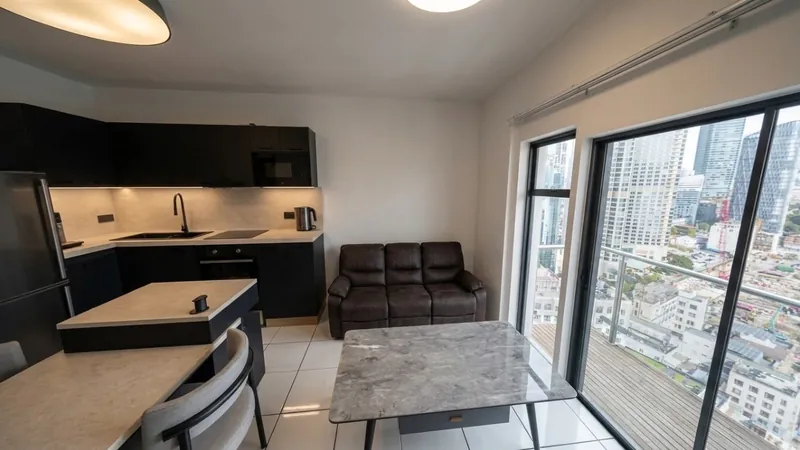 Your render
What you receive
Your render
What you receive
Drag to compare
Each room is generated, then assembled into a single film with music. No filming, no manual retouching, the result arrives ready to present.
In your software, position yourself at eye level. A starting view, a few steps forward, an ending view. A three-minute tutorial shows you the exact move.
Two images and a room name. That's all we ask. No project file, no settings.
Your renders become real images, the camera moves through the room, the music is laid in. The file arrives ready to send or publish.
Your client walks through their future living room instead of guessing from a still render. They project themselves, they approve faster, they hesitate less.
A filmed walkthrough in the presentation file, no production studio, no two-week turnaround, no five-figure budget.
Four scenes make a thirty-to-forty-second walkthrough. 1080p video, landscape format, ready to publish.
Pay per use, for one-off needs.
No subscription, no expiry.
Prices include tax. VAT not applicable under article 293 B of the French Tax Code (CGI).
Compatible renders, turnaround, pricing, image privacy: find all the answers on our dedicated page.
See all questionsExport two views of a current project, drop them in, and judge the result on your own work, not on our demo. No credit card, no commitment.